
Introduction
When it comes to online privacy, VPNs often promise bullet‑proof protection. But how much of that is marketing—and how much is real? In this in‑depth guide, we’ll examine exactly what VPNs can and can’t protect you from, analyze their limits, and help you make smarter choices for staying secure.
How VPNs Work: What They Do and Don’t Do
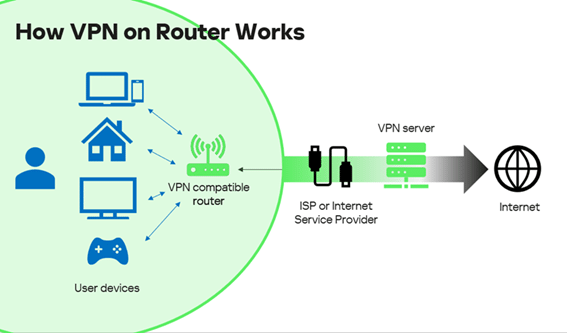
VPN Basics: A Secure Tunnel
- A VPN creates an encrypted tunnel between your device and a remote VPN server.
- Your IP address is masked—online services see the VPN server’s IP, not yours
- This disguises your location and obscures your traffic from ISPs or local networks.
What VPNs Protect
- IP address & location: Hidden from sites, advertisers, and your ISP.
- Public Wi‑Fi encryption: Prevents snooping on unsecured networks.
- ISP tracking: Your browsing content is masked; the ISP only sees encrypted traffic.
- Bandwidth throttling avoidance: ISP can’t detect traffic type, minimizing slow‑downs.
What VPNs Don’t Protect
- Malware, phishing, ransomware: VPNs don’t scan or block malicious downloads.
- Browser fingerprinting & tracking cookies: VPNs won’t erase tracking behavior or unique device profiles.
- VPN client vulnerabilities: Misconfigurations can expose traffic or credentials.
- Traffic leaks or provider logs: Some VPNs leak your real IP via DNS/IPv6 or record usage data.
- Limited anonymity: Sites you log in to still track you; a VPN doesn’t hide that behavior.
Pros & Cons Summary
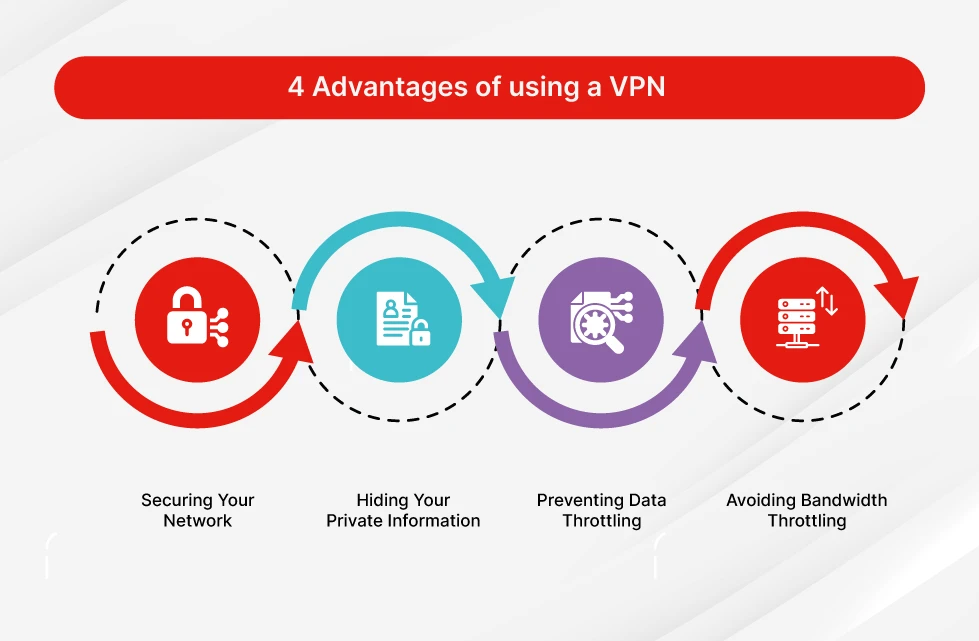
✅ Pros of Using a VPN
- Strong encryption shields your data from eavesdroppers
- Hides your IP and mask your real location
- Protects activity on public Wi‑Fi
- Helps avoid ISP data or bandwidth throttling
- Lets you bypass geo‑blocked content or censorship
❌ Cons & Limitations
- Slower internet speed due to encryption overhead
- False sense of security may lead to risky behavior
- Free VPNs may embed trackers, malware, or sell user data
- Vulnerable to DoS attacks or fingerprinting depending on protocol (e.g. OpenVPN)
- Trust shifts from ISP to VPN provider—you must trust their policies
Use Cases: When VPNs Add Real Value
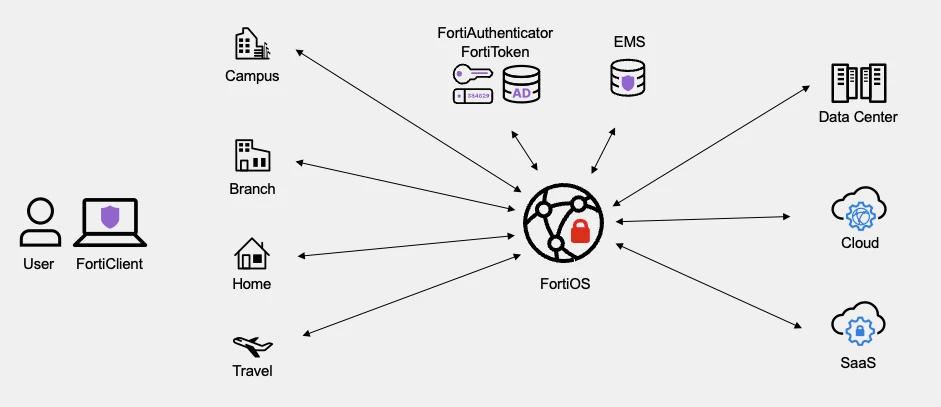
Public Wi‑Fi & Travel
Use a VPN to secure your data in airports, cafes, or hotels. Even if most web traffic is encrypted TLS, a VPN adds an extra layer of disguise.
Geo‑Restrictions & Streaming
VPNs help you access region‑locked content (e.g. Netflix libraries, sports events). The best providers like NordVPN and Surfshark excel at this.
Censorship and Privacy‑Sensitive Users
People in restrictive countries or users wary of surveillance use VPNs for secure access to information. Tools like Proton VPN offer advanced routing via Secure Core or stealth protocols .
Choosing a Safe VPN Provider: Key Criteria
What Makes a VPN Secure & Trustworthy
- No‑logs policy and jurisdiction: Prefer providers outside surveillance alliances.
- Available leak protection: Choose VPNs that protect against IP, DNS, and IPv6 leaks.
- Strong encryption and modern protocols: AES‑256, WireGuard, OpenVPN with obfuscation .
- Third‑party audits: Independent reviews verifying no backdoors or logs.
- Transparency and reputation: Known brands like NordVPN, Proton VPN, Surfshark. TechRadar ranks NordVPN highly in 2025 for encryption, no‑logs, speed and value .
Avoiding Risk with Free or Little-Known VPNs
- Many free options embed trackers or malware; ICSI research found 72% include third‑party tracking and 38% contain malware.
- Limited bandwidth or speed restrictions and intrusive ads make them unsuitable for heavy us.
Latest Trends & News
- VPN use in the UK spiked by 1,800% after the Online Safety Act’s age‑verification mandates, illustrating public privacy concerns and reliance on VPNs as protection tool
- Experts warn against assuming VPNs bypass laws; regulators discourage using VPNs to avoid age checks—but privacy advocates argue the tool offers broader data protection benefits.
Real‑World Feedback: What Users & Experts Say
- On Reddit: “Nope, VPN is as safe as the vendor that hosts it. It encrypts data … but you can still download viruses and the government can still find out who you are.”
“VPNs are not a security feature. They help with obscurity … but it does not make you inherently more secure.” - From security analysts: VPNs do not prevent phishing or malware, and users must not rely on them as holistic security solutions
Key Takeaways: Does a VPN Really Keep You Safe?
- Yes, to protect your IP address, encrypt public Wi‑Fi use, and bypass geo‑blocks.
- No, it does not guarantee full security, privacy, or anonymity.
- Safety depends heavily on your behavior (e.g. avoiding phishing, malware) and the VPN provider’s trustworthiness.
- Use a VPN as one layer in a multi‑layered security strategy (browser hygiene, antivirus, secure passwords, etc.).
FAQ (Frequently Asked Questions)
1. Can VPNs stop malware or phishing attacks?
No. VPNs encrypt your traffic but don’t scan or block malicious websites or downloads. Antivirus software and cautious browsing behavior remain essential.
2. Does a VPN hide everything I do from my ISP?
Your ISP will see that you’re using a VPN, the amount of data used, and the server IP—but not the specific content of your traffic.
3. Are free VPNs safe to use?
Often not. Many free VPNs embed trackers, limit speed/data, or even contain malware. Opt for reputable paid providers with audit transparency.
4. Can the government still track me if I use a VPN?
It depends. VPNs mask your IP, but agencies may use traffic analysis, subpoenas, or cooperation with providers to trace activity back to you.
5. Which VPN protocols are safest?
Modern secure options include WireGuard and OpenVPN with obfuscation. AES‑256 encryption is standard. Protocols matter—especially in contested or censored environments.
6. Does using a VPN slow down my connection?
Some slowdown may occur due to encryption overhead, but high‑quality VPN services minimize this with optimized servers and protocols.
Additional Tips for Staying Safe Online
- Keep your system and apps up to date
- Use strong, unique passwords and MFA
- Install reputable antivirus or endpoint protection
- Use privacy‑focused browsers or extensions to block fingerprinting and trackers
- Enable VPN kill switch to prevent accidental leaks
- Check IP/DNS leak tests and audit results before trusting a provider
Conclusion
VPNs are powerful privacy tools when used properly—but they are not magic shields. They encrypt data, mask IP addresses, and help evade censorship or geo-blocking. However, they do not protect you from malware, phishing, browser fingerprinting, or site logins. Whether they keep you safe depends on the VPN provider you choose, how you use it, and what other security layers you employ.
By understanding both their benefits and their limitations, you can make informed choices and stay truly protected online.